

Plugins Made For Creators, by Creators
- Plugins Made For Creators - By Creators
- Plugins Made For Creators - By Creators
Push your mixes further.
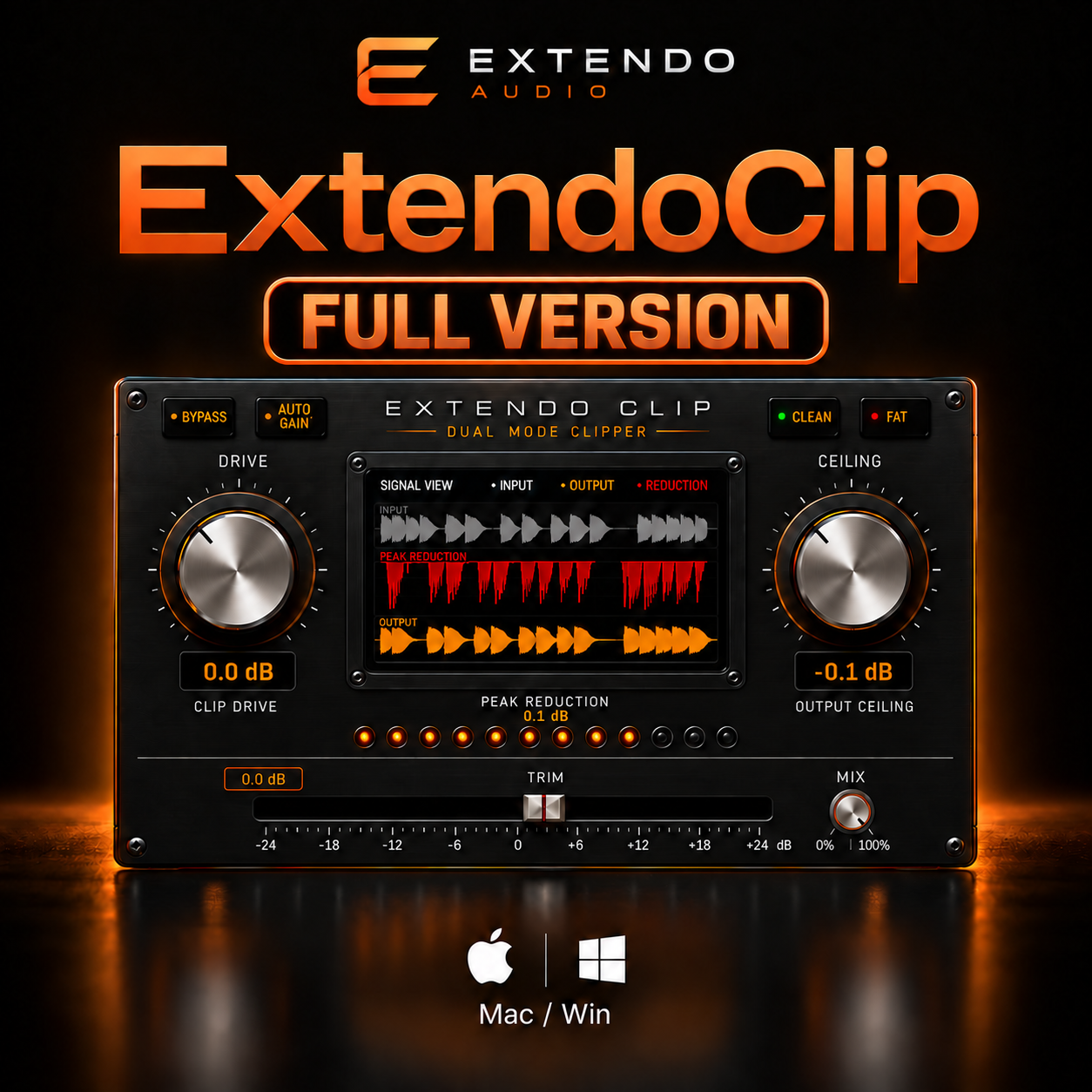
Extendo Clip is a premium dual-mode soft clipper designed to help you achieve louder, cleaner mixes without sacrificing punch, clarity, or dynamics. Whether you're polishing a master, driving drums, or adding harmonic character to a mix bus, Extendo Clip gives you precise control with an intuitive workflow.
Built with two distinct clipping modes, real-time waveform visualization, and intelligent gain management, Extendo Clip makes it easy to hear and see exactly what's happening to your audio.
Designed by creators, for creators.
Features
Dual Clipping Modes
Choose between Clean Mode for transparent loudness and Fat Mode for musical saturation and added harmonic weight.
Real-Time Waveform Display
Visualize your input, output, and peak reduction as you shape your sound with instant visual feedback.
Precision Peak Reduction Meter
Monitor clipping activity accurately with a dedicated LED reduction meter.
Auto Gain
Maintain consistent perceived loudness while comparing settings, allowing faster and more confident decisions.
Mix Control
Blend the processed and dry signal for parallel clipping and creative sound design.
Output Ceiling
Set your maximum output level with precision to prevent unwanted digital overs.
Low CPU Performance
Efficiently engineered for demanding sessions, making Extendo Clip equally at home on individual tracks, buses, and full mastering chains.
Perfect For
Mixing
Mastering
Drum Bus Processing
Mix Bus Saturation
Vocals
Bass
Synths
Electronic Music
Rock
Hip-Hop
Pop
Cinematic Production
Compatible Formats
VST3
Audio Units (AU)
AAX on Mac Only
Compatible with all major DAWs, including, Logic Pro, Ableton Live, FL Studio, Cubase, Studio One, and Reaper.
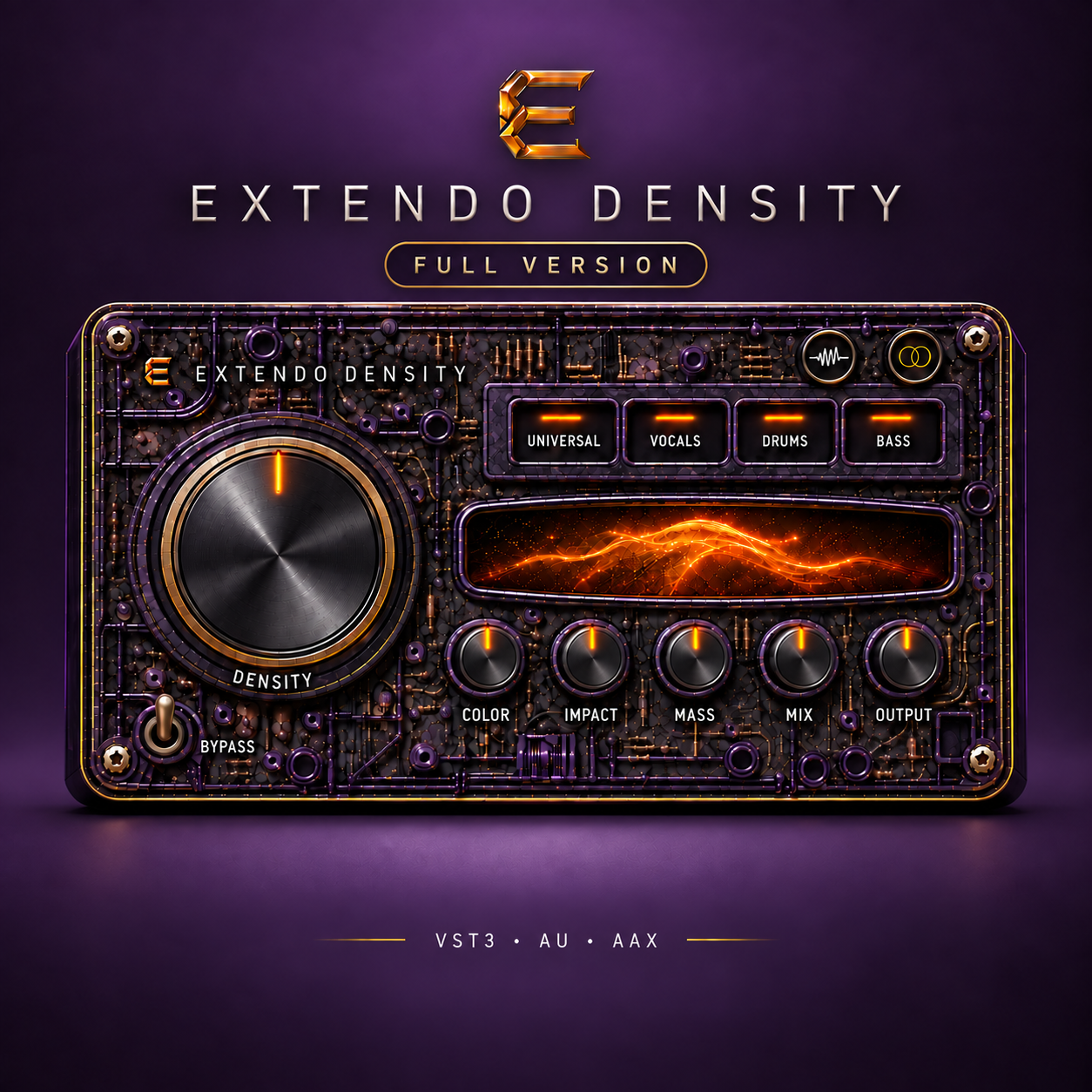
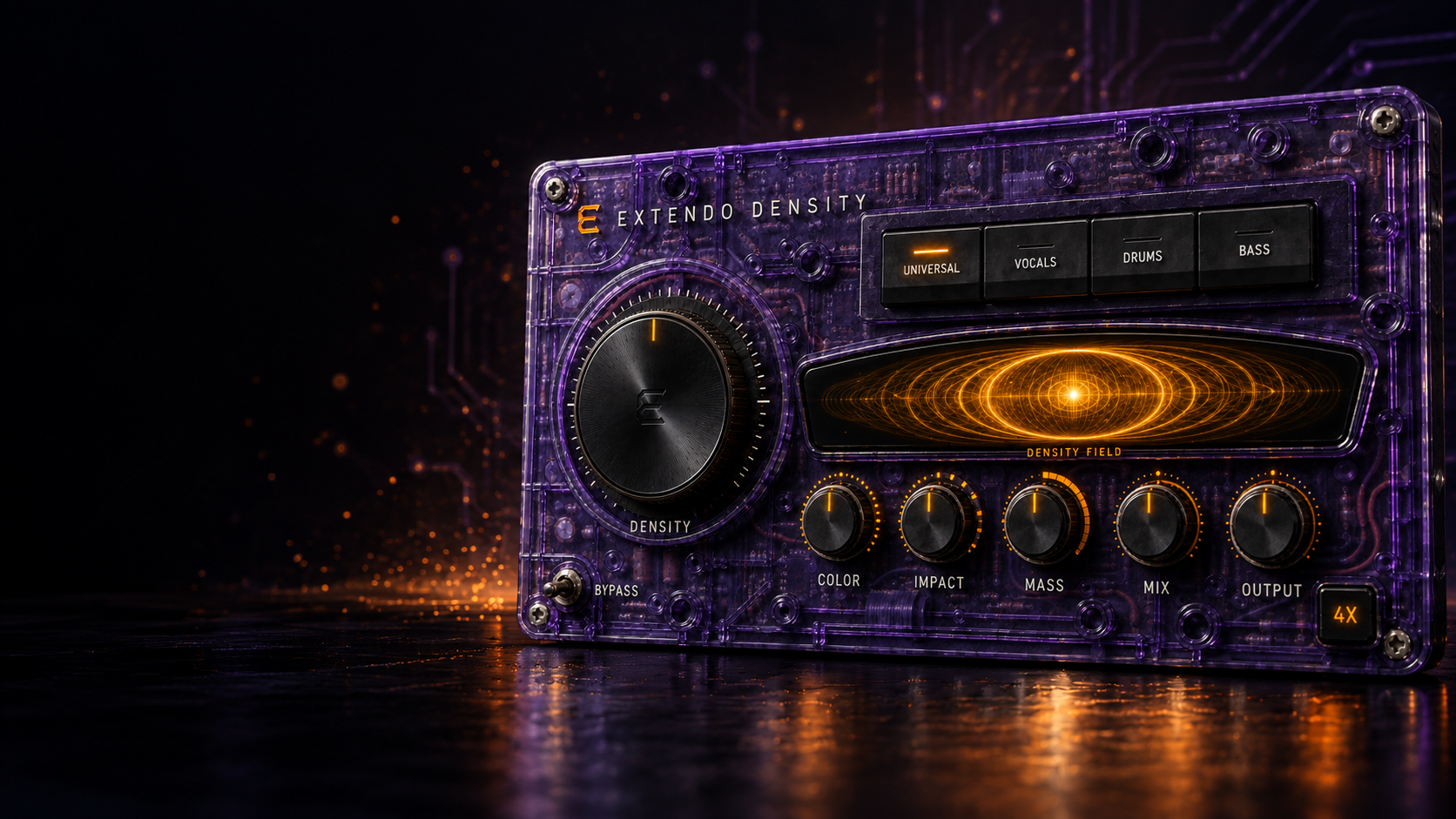
Extendo Density is an analog-inspired processor designed to add harmonic weight, punch, presence, and cohesion without sacrificing clarity. From subtle mix polish to bold saturation, it helps vocals, drums, bass, instruments, and complete mixes feel bigger, closer, and more finished.
Main Controls
Density
Controls the overall processing intensity, combining compression, harmonic generation, forward energy, and analog-style cohesion.
Color
Shapes the tonal character of the harmonics. Turn it down for a darker, thicker sound or raise it for added openness, brightness, and high-end sheen.
Impact
Shapes transient energy and punch. Use it to bring attacks forward, add definition, or create a smoother and more controlled response.
Mass
Adds transformer-inspired body, low-mid weight, saturation, and depth while protecting the lowest frequencies from excessive buildup.
Mix
Blends the processed signal with the original audio for parallel processing and precise effect control.
Output
Sets the final output level independently of the processing and automatic gain compensation.
Source Modes
Universal
Balanced, transparent processing for guitars, instruments, buses, and complete mixes.
Vocals
Adds smooth presence, satisfying saturation, controlled upper mids, and polished high-end sheen.
Drums
Enhances punch, transient definition, harmonic energy, and cohesion without flattening the performance.
Bass
Controls sustained low-frequency energy while preserving the attack, definition, and natural movement of the bass.
Additional Features
Automatic Gain Compensation
Helps maintain a consistent perceived volume as Density, Color, Impact, and Mass add energy to the signal, making comparisons more reliable.
Stereo Processing
Choose Linked for maximum image stability, Natural for balanced stereo depth, or Wide for greater separation and ambience.
External Sidechain
Use an external audio signal to control Density’s compression response while processing the main input normally.
Density Field
A responsive visual display that represents processing intensity, harmonic energy, transient activity, and transformer weight without relying on a conventional meter.
Output Protection
A transparent soft-knee safety clipper controls unexpected peaks and keeps the processed signal below the output ceiling.
Hidden Antialiasing
Internal high-quality processing reduces unwanted digital artifacts when generating strong saturation and harmonics.
Factory and User Presets
Browse categorized factory starting points or save complete custom settings as reusable user presets.
Undo and Redo
Safely explore different settings and preset changes, then quickly move backward or forward through your adjustments.
Bypass
Instantly compare the processed signal with the original sound.
Available for VST3, Audio Unit, and AAX.
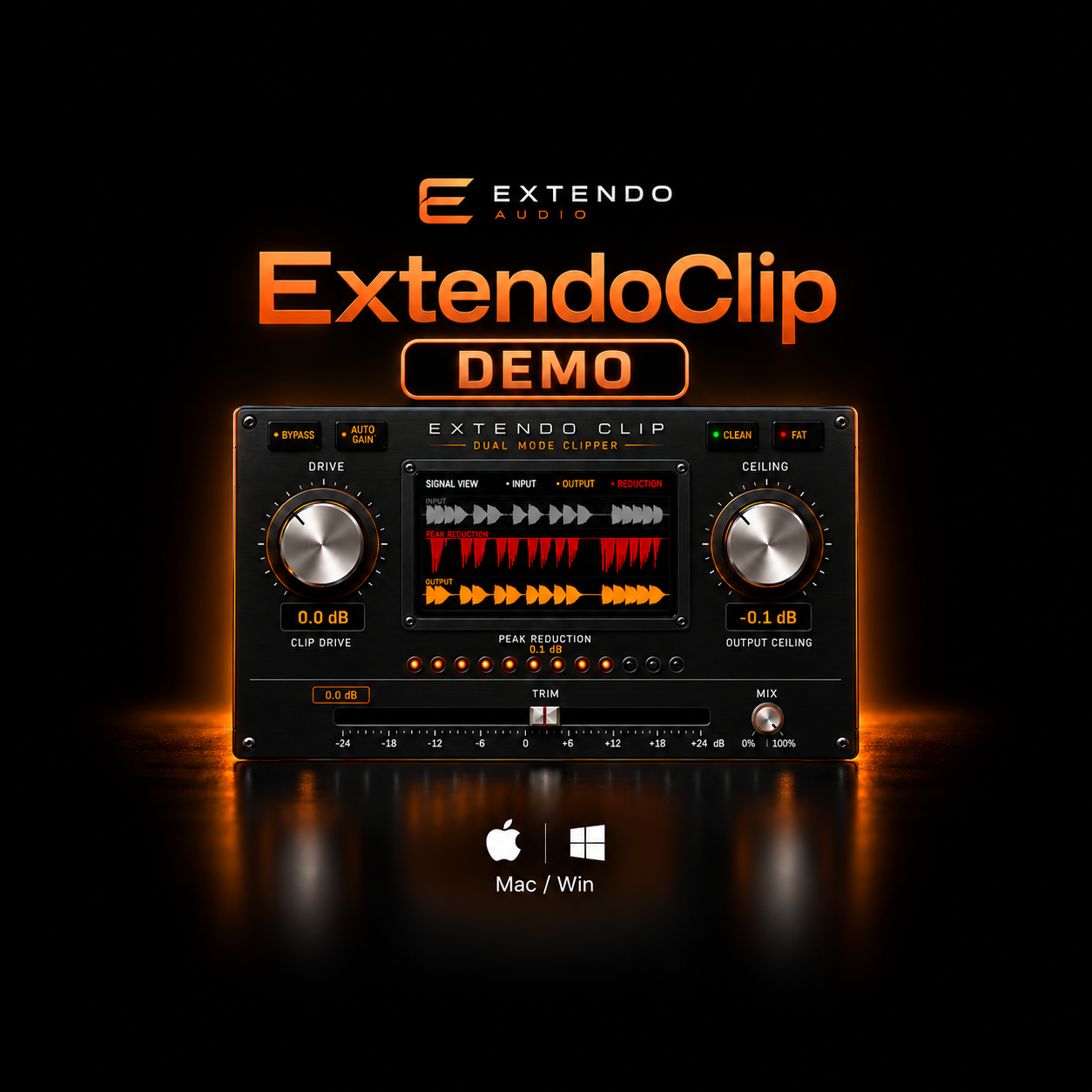
**Demo mode mutes every 30 seconds but allows full functionality of the plug-in for 14 days. If you enjoy the demo we encourage you to purchase the full version!***
Push your mixes further.
Extendo Clip is a premium dual-mode soft clipper designed to help you achieve louder, cleaner mixes without sacrificing punch, clarity, or dynamics. Whether you're polishing a master, driving drums, or adding harmonic character to a mix bus, Extendo Clip gives you precise control with an intuitive workflow.
Built with two distinct clipping modes, real-time waveform visualization, and intelligent gain management, Extendo Clip makes it easy to hear and see exactly what's happening to your audio.
Designed by creators, for creators.
Features
Dual Clipping Modes
Choose between Clean Mode for transparent loudness and Fat Mode for musical saturation and added harmonic weight.
Real-Time Waveform Display
Visualize your input, output, and peak reduction as you shape your sound with instant visual feedback.
Precision Peak Reduction Meter
Monitor clipping activity accurately with a dedicated LED reduction meter.
Auto Gain
Maintain consistent perceived loudness while comparing settings, allowing faster and more confident decisions.
Mix Control
Blend the processed and dry signal for parallel clipping and creative sound design.
Output Ceiling
Set your maximum output level with precision to prevent unwanted digital overs.
Low CPU Performance
Efficiently engineered for demanding sessions, making Extendo Clip equally at home on individual tracks, buses, and full mastering chains.
Perfect For
Mixing
Mastering
Drum Bus Processing
Mix Bus Saturation
Vocals
Bass
Synths
Electronic Music
Rock
Hip-Hop
Pop
Cinematic Production
Compatible Formats
VST3
Audio Units (AU)
AAX only on MAC
Compatible with all major DAWs, including Logic Pro, Ableton Live, FL Studio, Cubase, Studio One, and Reaper.
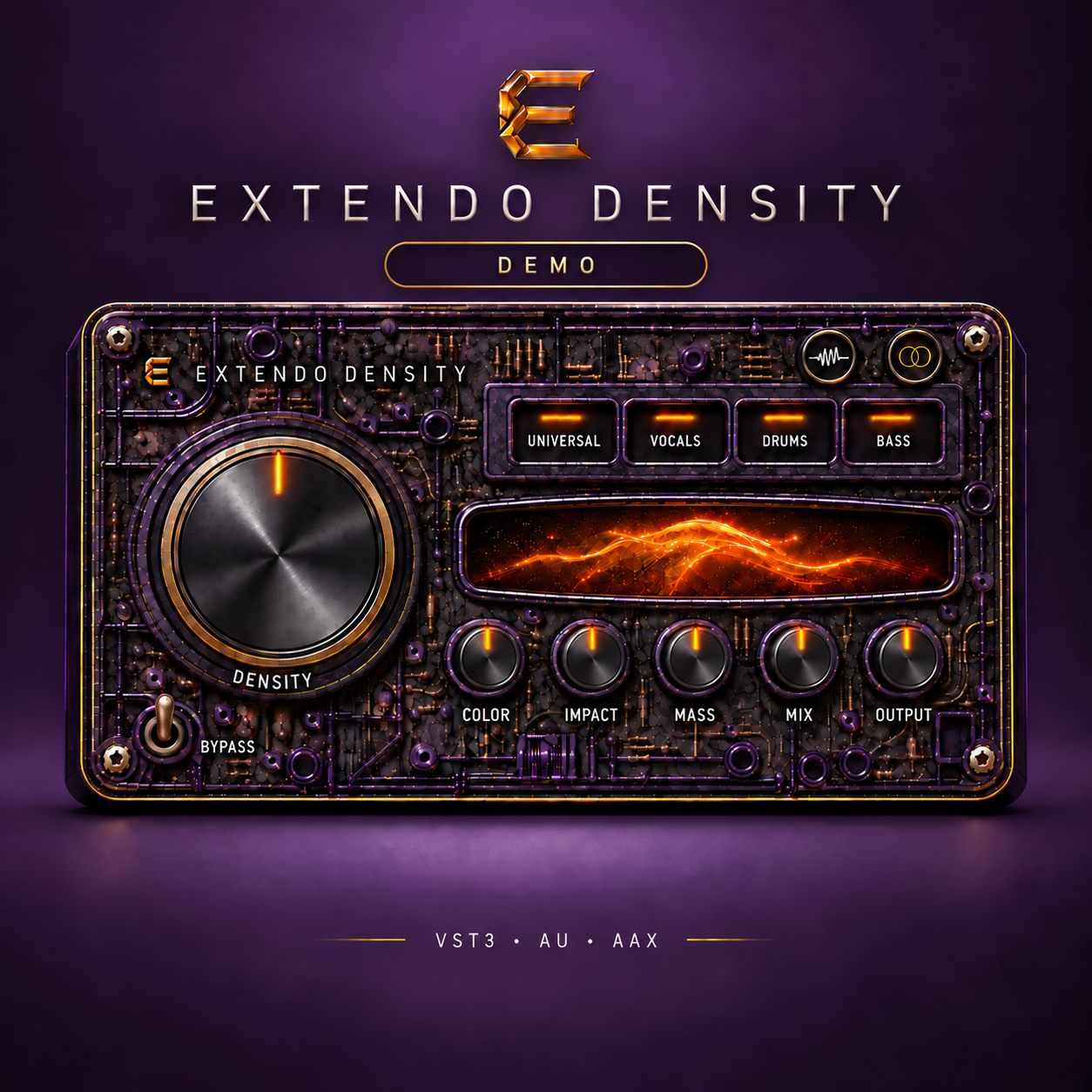
DEMO VERSION**
Extendo Density is an analog-inspired processor designed to add harmonic weight, punch, presence, and cohesion without sacrificing clarity. From subtle mix polish to bold saturation, it helps vocals, drums, bass, instruments, and complete mixes feel bigger, closer, and more finished.
Main Controls
Density
Controls the overall processing intensity, combining compression, harmonic generation, forward energy, and analog-style cohesion.
Color
Shapes the tonal character of the harmonics. Turn it down for a darker, thicker sound or raise it for added openness, brightness, and high-end sheen.
Impact
Shapes transient energy and punch. Use it to bring attacks forward, add definition, or create a smoother and more controlled response.
Mass
Adds transformer-inspired body, low-mid weight, saturation, and depth while protecting the lowest frequencies from excessive buildup.
Mix
Blends the processed signal with the original audio for parallel processing and precise effect control.
Output
Sets the final output level independently of the processing and automatic gain compensation.
Source Modes
Universal
Balanced, transparent processing for guitars, instruments, buses, and complete mixes.
Vocals
Adds smooth presence, satisfying saturation, controlled upper mids, and polished high-end sheen.
Drums
Enhances punch, transient definition, harmonic energy, and cohesion without flattening the performance.
Bass
Controls sustained low-frequency energy while preserving the attack, definition, and natural movement of the bass.
Additional Features
Automatic Gain Compensation
Helps maintain a consistent perceived volume as Density, Color, Impact, and Mass add energy to the signal, making comparisons more reliable.
Stereo Processing
Choose Linked for maximum image stability, Natural for balanced stereo depth, or Wide for greater separation and ambience.
External Sidechain
Use an external audio signal to control Density’s compression response while processing the main input normally.
Density Field
A responsive visual display that represents processing intensity, harmonic energy, transient activity, and transformer weight without relying on a conventional meter.
Output Protection
A transparent soft-knee safety clipper controls unexpected peaks and keeps the processed signal below the output ceiling.
Hidden Antialiasing
Internal high-quality processing reduces unwanted digital artifacts when generating strong saturation and harmonics.
Factory and User Presets
Browse categorized factory starting points or save complete custom settings as reusable user presets.
Undo and Redo
Safely explore different settings and preset changes, then quickly move backward or forward through your adjustments.
Bypass
Instantly compare the processed signal with the original sound.
Available for VST3, Audio Unit, and AAX.
ExtendoClip Full Breakdown
ExtendoClip Feature Video